Expense Receipts
Snap a receipt or invoice with your phone – AI reads it, SharePoint stores it and the expense report builds itself.
Screens
Exact copies of the module design with sample data.
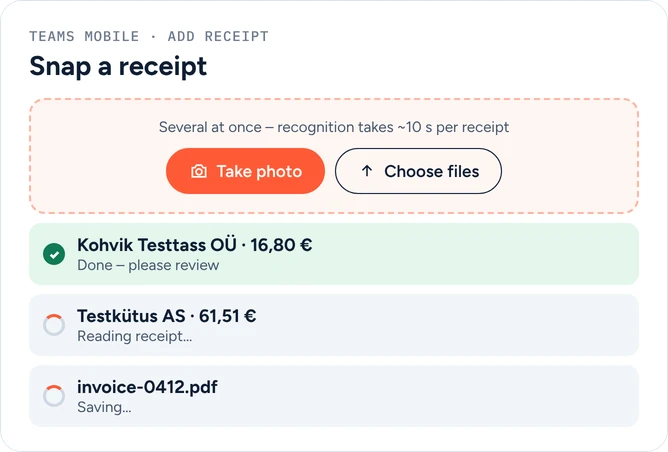
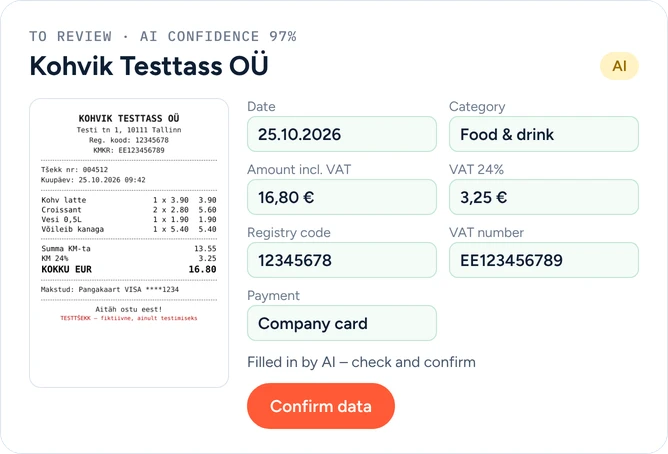
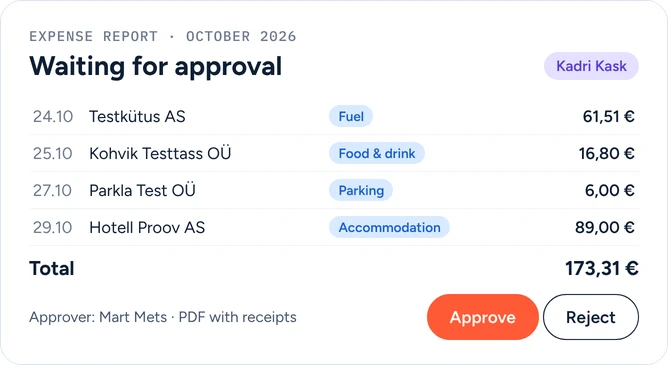
Employees take a photo of a receipt in Teams or upload an e-invoice PDF. AI reads the merchant, date, amounts and VAT, picks a category from your own list and checks for duplicates. The employee confirms with one tap, submits a monthly expense report, the manager approves it and accounting exports it. Everything runs in your own Microsoft 365 and Azure – no third-party expense app, no per-user fees and no Power Apps licences.
What you get
- Photo capture in Teams – phone and desktop
- AI recognition: merchant, registry code, VAT number, VAT by rate
- Category picked automatically from your own list
- Duplicate detection
- Review and correct before submitting
- Expense report as PDF with receipts attached
- Manager approval (manager from Entra ID)
- CSV export for Merit, SmartAccounts, Directo and others
- Employees see only their own expenses
- Receipts and data stay in your own tenant
Requirements: Microsoft 365 (SharePoint + Teams). An Azure subscription for AI recognition (pay-as-you-go, typically 1–2 cents per receipt). No Power Apps licences needed.
Request a demo
Tell us a little about your organisation and we will show Expense Receipts live in your own context.
hello@westlume.com